

Disabling the Amazon Basics Aero Tag
The Amazon Basics Aero Tag can be disabled to stop it from sharing its location. Once disabled, it will no longer report to Google’s Find Hub network or Apple’s Find My network, and the owner will no longer receive updates on its current location. It will also stop triggering unknown tracker alerts. If you receive a notification on your Android or iOS device indicating that a Amazon Basics Aero Tag has been detected nearby and you are unfamiliar with this device, you can make it ring through the system notification. After locating the device, follow the steps below to disable it.
Disable via Button Press:
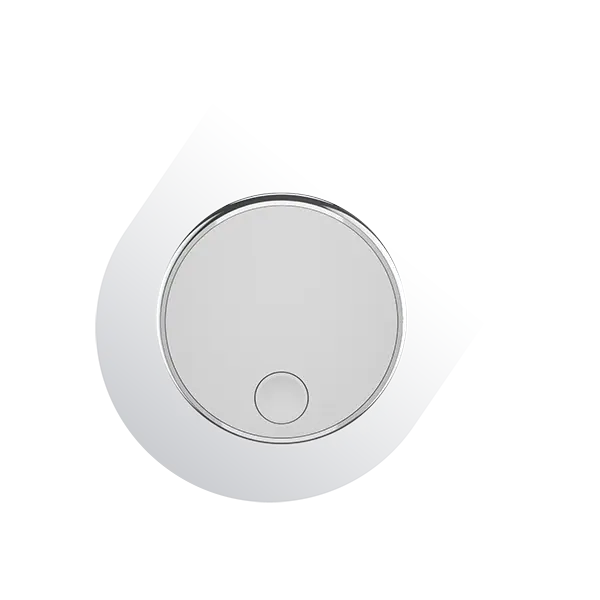
· Locate the button on your Amazon Basics Aero Tag.
· Press and hold the button for about 5 seconds. You will hear one confirmation beep when succeed.
Re - enable the Amazon Basics Aero Tag:
· To re - enable the Amazon Basics Aero Tag, either press the button or reinstall the battery.
Press the Button:
· Press the button for one second. When re - enabled, you will hear a ring chime.
Replace the Battery:
· If you removed the battery, place a new CR2032 coin battery inside with the positive side up, and close the device.
Factory Reset and Pairing:
· To reset the Amazon Basics Aero Tag to factory settings, press the button four times quickly and hold the Fifth time for one second. After you hear a ring chime, release the button. After resetting, you can pair the Amazon Basics Aero Tag with a new Google or Apple account.
Important Notes:
· When the Amazon Basics Aero Tag is paired with an Android device, it operates as a Google Find Hub locator tag. If paired with an iOS device, it functions as an Apple Find My locator tag.
· For pairing, ensure Bluetooth is enabled on your device and that it has internet access. To activate the Amazon Basics Aero Tag, press the button once, and you will hear a melody confirming activation.
· You can remove the Amazon Basics Aero Tag from either the Google Find Hub app on Android or the Find My app on iOS. If it’s within Bluetooth range, a factory reset will automatically occur upon removal from the app. If out of range, perform a manual factory reset.